Calendar Sync
Keep your schedule in check by connecting SuperSaaS to all your calendars, ensuring you’re always on time, every time


Prevent scheduling conflicts
Ensure your availability is always up-to-date by syncing SuperSaaS with all your calendars
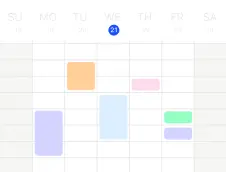
- Real-time availability: allow your personal Google or Outlook Calendar to automatically manage availability in your SuperSaaS schedule, preventing scheduling conflicts. Works seamlessly with flexible scheduling options
- Efficiency: remove the need to manually keep your schedules in sync, which is time-consuming and prone to errors
- Stay informed on the go: publish your SuperSaaS schedule to your calendar applications, giving you the flexibility to access your appointments on the go and ensuring you’re up-to-date when appointments are planned by others in your schedule
Calendar sync features
Effortlessly connect SuperSaaS to your existing calendar applications
- Google Calendar: publish appointments or classes in SuperSaaS to your Google Calendar
- Internet publishing: publish your schedule to any calendar program that can subscribe to an industry standard webcal feed, such as Microsoft Outlook, Microsoft 365 Calendar or Apple’s Calendar
- Synchronize availability: prevent scheduling conflicts by allowing SuperSaaS to read availability from your Google Calendar, Outlook, or a public Google Calendar
- Advanced scheduling: link multiple schedules to manage complex booking scenarios, ensuring availability is accurately coordinated across all schedules
- iCal attachments: include iCal attachments in booking confirmations and reminders, enabling clients to add appointments to their calendars with a single click


Getting started with calendar sync
Calendar sync is included in the trial and all paid plans
- Start your free trial: try out the calendar sync feature for a week by clicking on the button ‘Start free trial’ on the tab ‘Synchronization’ in SuperSaaS
- Publish appointments: link a Google Calendar or share a webcal link to publish your appointments to an external calendar, for example to see the appointments on your phone
- Enable synchronization: let your Google Calendar or Outlook calendar manage your availability by simply connecting it to SuperSaaS. Use the calendar app on your phone to plan personal appointments, holidays, or other free time, which is then blocked in SuperSaaS. Track everything with reporting and analytics
- Connect other schedules: connect SuperSaaS to a public Google Calendar to manage schedules that depend on someone else’s availability. An example use is finding a time when everyone in a team can join while maintaining their own schedules outside SuperSaaS