Custom Layout & Forms
SuperSaaS adapts to you. Customize the appearance of your schedules to match your brand



Your schedule, your brand
Customize your schedule to make it as unique as your business
- In line with your brand: tailor the appearance of your schedule with your own logo and brand colors to seamlessly match your brand identity
- Personalized user experience: adjust the layout and content of your schedule to fit your specific requirements, add custom fields and forms, images, terminology, and instructions
- Customer focus: display your schedule in 35 languages and your customers’ timezone for a user-friendly experience
- Custom domain: build trust with your customers by providing access to your schedule with a familiar URL. Combine with website integration for a seamless experience
Key layout customizations
SuperSaaS offers extensive customization for every aspect of your scheduling process
- Branding & layout: adjust logos, colors, and CSS, and use your own domain to ensure your schedule aligns with your brand identity and looks professional
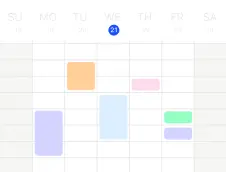
- Schedule appearance: adapt the time slot intervals, layout dimensions, and choose between different schedule views (day, week, month) to match your specific scheduling needs
- User interaction: add custom fields, labels, and display personalized on-screen messages throughout the booking process, such as login or checkout messages
- Terminology: use the terms that fit your business, e.g. change the term used to describe an available spot from an ‘appointment’ to a ‘booking’
- Custom notifications: personalize appointment confirmations, reminders, and follow-ups sent via email or SMS, allowing you to include custom text, images, and formatting


Getting started with customization
See how SuperSaaS can be customized to perfectly fit your scheduling needs
- Adjust schedule view: set the standard view of the schedule to a daily, weekly or monthly overview, then choose its scale and font size.
- Modify notifications and messages: reflect your brand’s tone of voice by updating on-screen messages and customizing emails and text reminders
- Add your own domain: stay on brand and create a custom web address for your schedule
- And more: make changes to the HTML and CSS to target specific elements. Explore all flexible scheduling options to further tailor your setup